Thursday, 21 April 2011, 9:10 AM
In a newsletter Sarah and I sent for Nordic eCommerce Summit, we had some problems showing pictures in Gmail on Internet Explorer while proofreading the letter.
With this particular problem, all the pictures look as if they’re being blocked, even though you’ve downloaded them. This is happening because of limited internet settings; you fix this through your web browser … here’s how:


It could be a little added protection on Internet Explorer’s part, Redmond likes to keep you safe from some of this evil content. So instead of checking “enable”, you can check “prompt” –- this means that IE will ask you for permission to gobble up those dangerous kb’s instead of idle covetousness.
Hope this solves your IE-Gmail woes! Comment if it doesn’t, our online tech support will be right on it!
Tuesday, 12 April 2011, 6:52 PM
It’s no secret that Christopher and I like MailChimp, and especially the way they market themselves. Back in the day, when Christopher and I worked for the same email provider, we dreamed of writing small manuals and how-to’s for the customers — the purpose being that they have the power of knowledge to choose the parts of the tool that they would like to use. MailChimp has robbed and stolen that dream from us. They’ve created 20 brilliant, attractive, and useful little manuals — holding your hand from the email A’s to Z’s. We salute you, MailChimp! Good work.
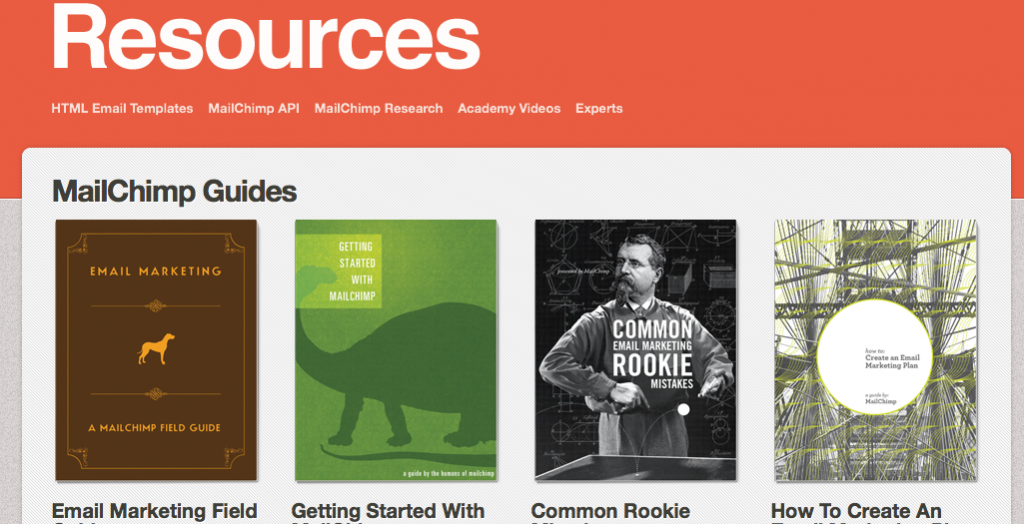
Oh, and it’s all free! Download them here!
Monday, 11 April 2011, 9:39 AM
Security – in todays cloud-y internet based world, security is extremely important. But how far does your email provider take security? What measures do they take to make sure you’re in great hands? You see, it’s not just for your sake … it’s for your customers too.
Epsilon is one of the biggest email providers out there, and through some recent security fumbles – a few unlucky customers’ email addresses and personal information have plopped in the laps of the wrong people. According to Email Security Matters, Epsilon’s customers are, among others, companies handling extremely delicate and personal data – American Express, Citibank, and VISA are on that unfortunate list.
Read the press release for yourself.
Friday, 8 April 2011, 6:34 PM
You know you’re in good hands when your email provider nails you to the wall even though you’ve paid your invoice. Let me explain…
1 – Responsibility
Believe it or not, you are responsible for everything that is sent from your account – but if your email provider wants to know who you are and what address you’re using – it’s a good thing.
2 – Blocking of all role-based addresses
If all role-based addresses – info@ and support@ – are automatically removed from the system, this is also a very good sign. It might seem hard to forbid info addresses, but the fact is, there are rarely ever real people behind these addresses. They are what you call function-driven addresses, created with a specific purpose.
3 – Unsubscribing
If your email tool prevents all emails and newsletters lacking an unregistration link from being sent, then by golly you’ve got a good ‘un!
The email tool I’m using today meets all of these demands. Very professional indeed.
Tuesday, 5 April 2011, 10:56 AM
Consider these points:
- Map out what kinds of emails or newsletters you will be sending
- Meet your support or contact person
- Will they help you meet your goal and vision?
Choose the right email provider (PDF)
First point – Map the different types of emails you will be using, and make sure this email provider can help you with all of these different emails (confirmation, tip-a-friend-about-a-service, and product emails etc). The price could be severely affected by what they do or do not include.
Second point – Insist on meeting the person who will be taking care of you; and we don’t mean the sales person. Upon meeting this person, you can now answer the third point. It should be obvious by now if they understand where you want to go with email marketing. Are they going to help you meet your goals? Are they enthusiastic about your vision, or are they doing it just for the dough?
Fourth point – Integration: Don’t settle for just an open API. Don’t misunderstand me, an open API is all fine and dandy, but how much will they help you in using it? Does it cost extra? And if it does, how much will this limit you?
Last point – Take a peek at their policy. Everyone will tell you that they don’t work with bought addresses – bought shmought. But ask them if you can send messages to your bought addresses – ”You sure can!” Not a good policy, sorry… they’re spammers.
When you want to renegotiate – or when you are about to buy a tool for the first time – click on the link above and download our PDF outline. Sit down and prepare yourself before you interview your next provider. The PDF is in Swedish, however, English is on it’s way. But in the meantime, you can exercise your Google Translate skills. Copy and paste, here you come!
Sarah@@@@@


