Friday, 20 May 2011, 6:20 PM
It’s been a while since anyone’s asked me if I prefer newsletters in HTML or in the old fashioned text format. In today’s world, most people have skipped over the old text based email clients; they take for granted that everyone is able to receive HTML emails and newsletters.
We use a format called Multipart-Alternative MIME. This means that anyone who can only receive the old fashioned text format emails can still receive our newsletters. Most of the large e-tools use this format; this means that text and HTML- emails are together in the same…email. Mmm, the sweet smell of practical; now go trash that cheap email tool and get a proper one.
It’s very important that a text email is included when you send an HTML version, spam filters find the ones without the text version.
Have you thought about filling in the text version before you send a newsletter? Or does your email tool do that for you?
Double check next time!
Monday, 16 May 2011, 2:23 PM
Most of us, during our many online shopping sprees, have abandoned a cart or two before; but that doesn’t mean we didn’t want to buy those goodies – we probably did. Maybe it was the shrieking kids, or the phone ringing for that meeting you forgot about; nonetheless, these are the things that interrupt the online shopping experience. Upon abandoning that cart, all is lost and must be filled up again. But why? Don’t they save all that information in their system anyway? Yes, they do actually…
Imagine getting an email with that abandoned cart’s items in it, and imagine a link that brought you to where you left off; think of how many of us would gladly click “checkout”!
S&S has a 25% conversion rate for the where-you-left-off email, and 33% of their revenue comes from the abandoned cart (or reactivation) email. Marinate on that.
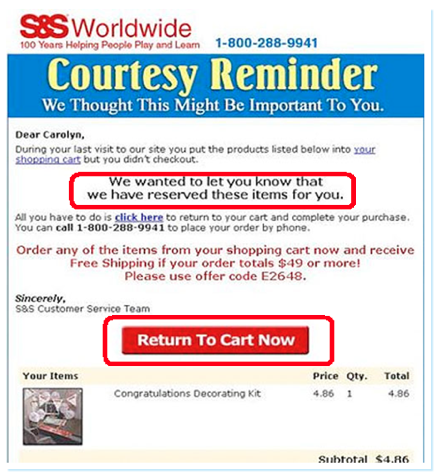
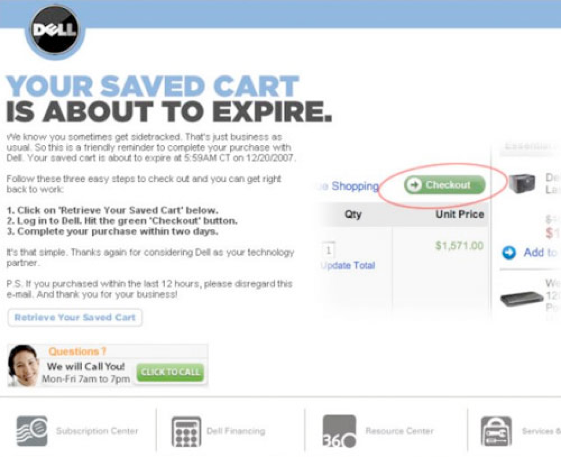
Dell is another good example. For their abandoned cart emails, they present everything very simply – a single click to checkout. What if images are blocked? What do you see then? Something to consider…pesky image blocking.
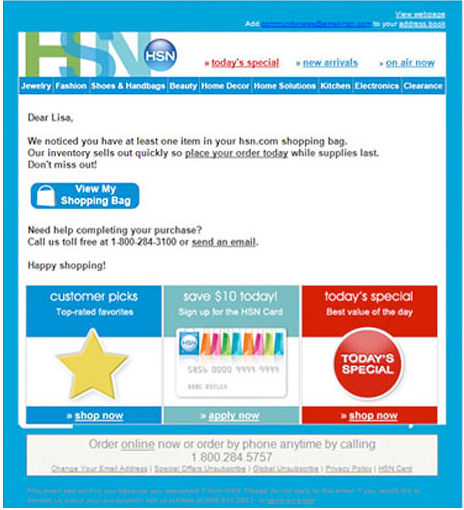
This next example is excellent! There are far too many e-tailers hiding their customer service phone numbers. So many things can go wrong to bring the transaction to a halt, naturally you want someone to call when it happens. If there’s no one to call, you don’t buy. Below, with HSN, help is at your fingertips – with an email or a phone number to call.
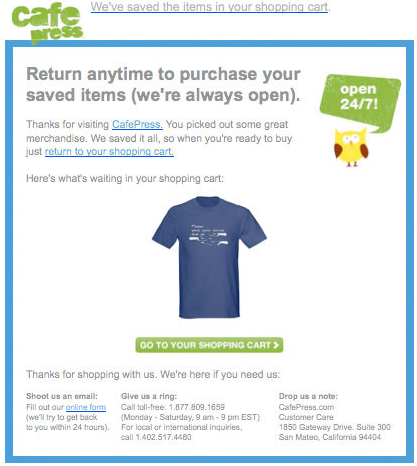
In this example, the customer can even see pictures of the items they added to their shopping cart, but never bought.
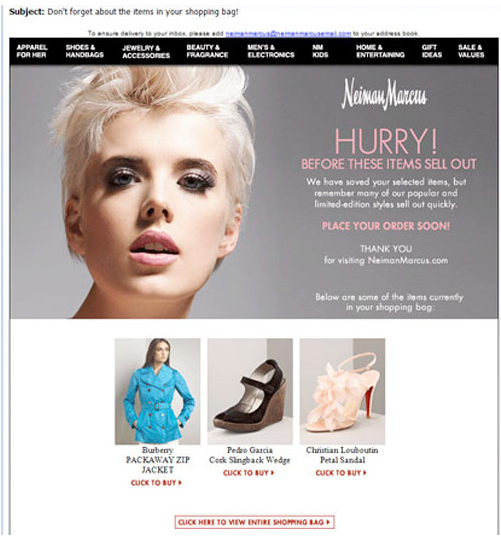
Below they’re using the pre-header to inform you that the shopping cart has been saved.
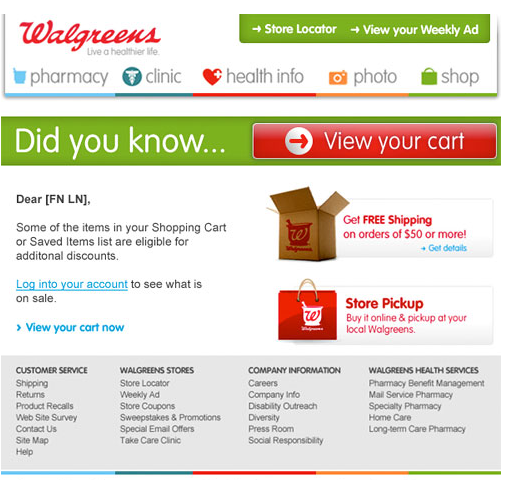
This email from Walgreens is a great example, especially in the design department – it’s crispy and simple. They’ve tried to make it a tad more personal, which is never a bad idea. But I have a bone to pick, there are too many things competing for your attention – “Free Shipping on 50$+ orders?!”, “What’s store pickup?!”…you see?
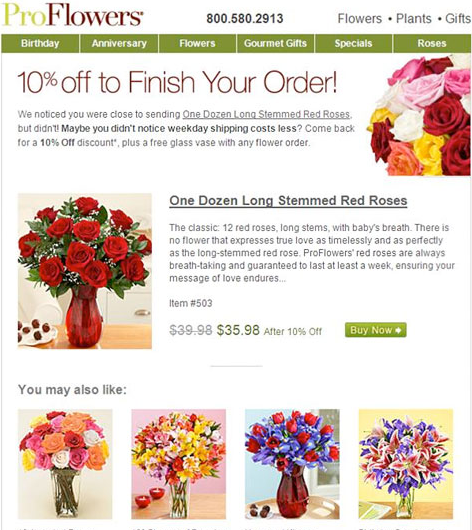
ProFlowers offers a 10% discount if you finish checking out. But then you run the risk of customers abusing that system.
So what exactly needs to be in an abandoned cart email? I’ve put a list together of the essentials below. Try to wiggle these into your email strategy.
- Title – the title of the abandoned cart email must be clear, and it must explain that it’s about the items the customer has abandoned in the cart.
- Avoid sales content. Have customer oriented content that helps the customer continue with the transaction – no exploding neon price signs.
- Include contact information – telephone and email.
- Use the customer’s name, and if possible, show the articles in the shopping cart with current pricing etc.
- Create a link directly to the cart.
- Give an expiration date for their saved cart – if applicable.
- Give the customer extra information about the items in the cart – links to a related video or recommendations from other customers etc.
- Avoid too much information. The customer should be able to navigate easily.
- Explain why your customer is getting this email and include an opt-out link if you plan to run a series of emails like this.
- Give your customers more information about the advantages of your items.
- Make links to tips, guides or inspirational videos.
- Give the customer an extra treat: a coupon, discount, free shipping, gift wrap…you get it.
- Give the customer suggestions for similar products, they might suit the customer even better.
- Ask the customers for feedback to improve the buying process.
- Give references to similar purchases.
Sarah@@@@@
Monday, 9 May 2011, 10:56 PM
It’s no secret that the travel industry is struggling with email marketing. Their opening frequency is in the dumps compared with other businesses – like certain organizations and B2B. But why?
Obviously there are many factors involved, but let me ask you – how many times a year is your average Joe doing concrete planning for traveling? Joe is limited to once or twice a year by time and money – naturally he’s not too interested in that travel email. If you remember the early days of email, you’ll remember that the travel industry was early in using email marketing – hence why people may be a tad fatigued over travel newsletters. These are just two of the many factors.
Travel newsletters nag way too much about prices, at least that’s what I see when I fumble through the letters we get. We’d be more interested in reading their letters if they focused on destinations – things to do, things to see, some inspiration. I found this the other day. It’s a blog – Flygstolen.se – and a very interesting one at that. Even if I’m not planning to travel now, I can get ideas about the future.

The blog talks to all of us. Which cities are excellent for photography? Should I rent a car in this city? There are articles about great airlines, beautiful hotels, and others services. They do have some offers in the blog itself, but they are definitely not the focus. How about this? Translate this idea into your newsletter and web content. I guarantee you will see a shift in your figures…
Sarah@@@@@
Friday, 6 May 2011, 1:04 PM
Nordic eCommerce Summit 2011
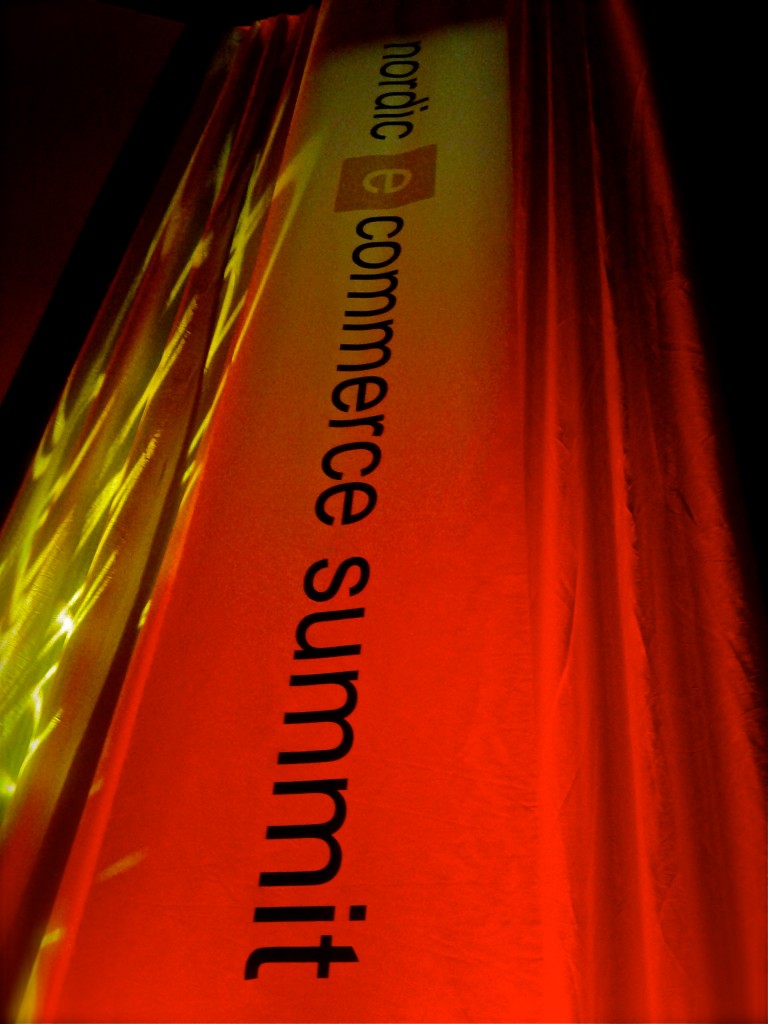
Sarah, Christopher, and all the rest at Nordic eCommerce Knowledge, arranged one of the best e-commerce events on this planet — and it happened last weekend.
“This is definitely one of the better eCommerce events I’ve been to.” — Gary Vaynerchuck
We want to share everything we heard last weekend with you. It was fascinating, motivating, and inspiring. So we will be posting some articles about what we found to be relevant and interesting.
Nordic eCommerce Knowledge will be posting videos up soon on YouTube…in HD. We’ll link them up when they’re ready to go. But only two are in English, you really don’t want to miss those two — Gary Vaynerchuck and CoolShop.dk.
But you can always watch them to see Sarah charm the crowd! She was nothing short of — incredible!
@@@@@ I love e-mail
Tuesday, 26 April 2011, 8:18 AM
Sarah and Robert Kimber of Compost (the company) gave a lecture at Internet Expo in Gothenburg some time ago – we learned a few things. We learned all about email marketing – how email’s death is far from imminent, that most email marketing today sucks and needs improvement, and the day of mail merging is at it’s dawn – we bid you farewell… spam.
Relevant email marketing: Below you will find a model illustrating the long, booby trapped journey from the North Pole to the South Pole of email relevancy. Folks, this is exactly the type of terrain we’re facing.
Here’s our model, 5 different steps, illustrated on the red equator-like lines.
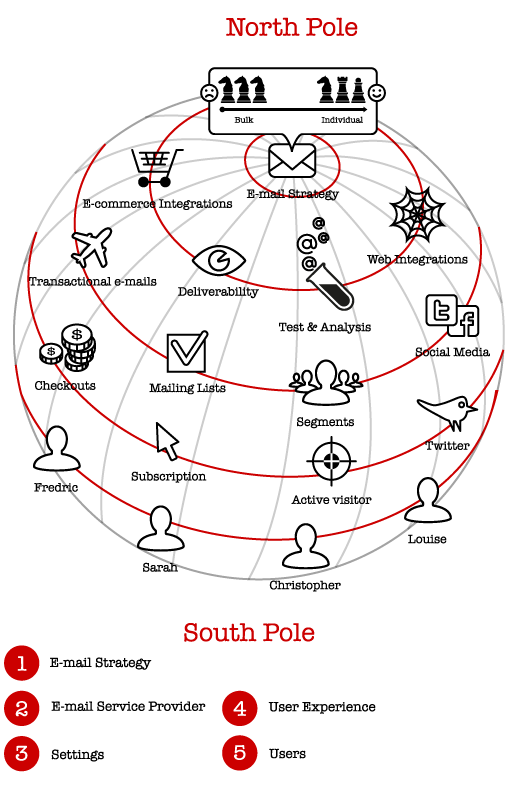
1. Email strategy
Will you be working with campaign marketing or marketing towards individuals? Mail merging or recipient adjusted newsletters? These are the questions only you can answer. We recommend the latter of both – they’re the enduring and sustainable options. But everything depends on your goals and purpose with email marketing, so it’s vital to decide that also.
2. Email Providers
Choose an email provider who gives you all the necessary tools.
- Can they deliver good e-commerce integration?
- Do they work actively to improve the quality of your delivery?
- Do you have access to all the statistics that you need?
- Do they give you the most common web integration tools?
3. Settings
How you configure your settings and tools is crucial for the success of your email marketing.
- Transaction messages – how do you want them to look?
- How will you collect data about your subscribers?
- Are your segmented groups optimal?
- Do you have connecting tools to social media?
4. The user’s experience
No matter how genius your tech is behind the scenes, the presentation and communication between you and the user is what will make or break your success. When the user is pleased, you are pleased.
- What is sent to a customer in connection to or after a purchase?
- Is signing up for your newsletter simple? Does the customer have any alternatives?
- How do you treat active readers? Do you reward them, or do they get the same treatment as the recipient who never opens a letter?
- If someone is Tweeting away about your marketing, do you pay attention to them? Do you reward these customers?
5. The users
Your precious customers, the people on the other side, the reason you stay afloat – how do you view your customers? Number One, Two, Three, and MasterCard? Or Fredric, Sarah, Christopher, and Louise? How do you like to be viewed? Marinate on that for a while…
Email is changing rapidly, and we have to be relevant. In todays’ social world, it’s easy to get left behind, especially if we’re not leading or at the cutting edge. Run through this checklist, it’ll help you get a better idea of what you want or are trying to achieve. Remember: having a strategy to be relevant will make you relevant.


